

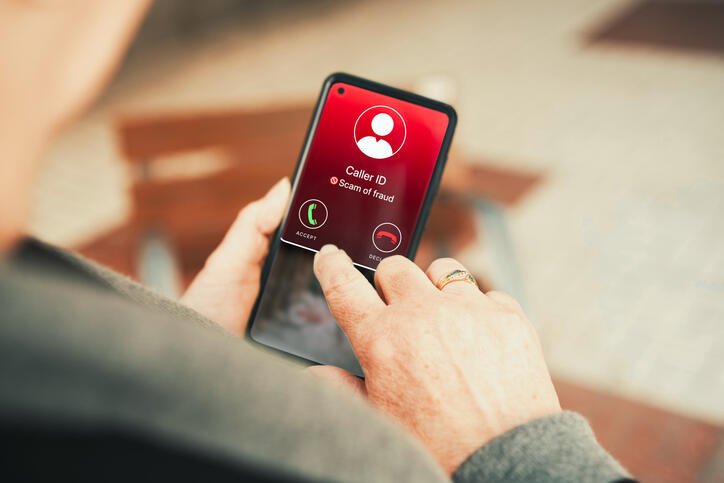
Scammers are now targeting you via FaceTime.
Elena Uve/Getty Images
Cybercriminals are currently targeting iPhone users globally with a sophisticated FaceTime scam designed to impersonate bank representatives and steal sensitive financial data. A recent CBS report revealed that these thieves manipulate victims into answering video calls under the guise of “verifying” their accounts, ultimately gaining access to their funds.
According to Justin Brookman, director of technology policy at Consumer Reports, these schemes succeed because they exploit human psychology. “They create a false sense of urgency to get you to take immediate steps or else something catastrophic will happen,” Brookman explained to CNET.
Typically, the scam begins with an urgent text message or phone call claiming your credit card or bank account has been compromised. The message provides a fraudulent number to call. Once connected, the scammer requests further verification and initiates a FaceTime video call. By coaxing you into sharing your screen during the video call, they easily harvest your passwords, account numbers, and personal credentials.
How Screen-Sharing Scams Hook Victims
Victims have shared their experiences in various Reddit threads, and even high-profile figures like CBS News correspondent Matt Gutman posted on X about falling victim to this tactic. John Breyault, vice president of public policy, telecom, and fraud at the National Consumers League, notes that scammers only need a tiny fraction of targets to comply to make their operations highly lucrative.
“Video conferencing has grown in recent years, and we’ve seen plenty of reports, particularly about scam compounds in places like Southeast Asia, having very elaborate sets to make it seem like the person who’s FaceTiming you is actually who they say they are,” Breyault told CNET.
The rise of artificial intelligence has made these schemes even more convincing, allowing criminals to deploy deepfaked audio and video.
“Because of all the information that’s out there about us in the modern age, combined with AI tools, attackers can more easily fine-tune and personalise their attacks at scale to make them seem more realistic,” Brookman points out.
Key Red Flags of a FaceTime Banking Scam
If you receive an unexpected alert about your financial accounts, watch out for these critical warning signs:
- Banks Will Never Request a FaceTime Call: A legitimate financial institution will never use video calling to resolve security issues. “The way consumers should handle if they get these types of suspicious requests is not to respond and call the number on the back of your credit or debit card,” Brookman advises. This ensures you are speaking directly to your actual bank.
- Avoid Unverified Links and Numbers: Ignore any links or phone numbers included in suspicious security texts. “Instead, you should search online for the right customer service number or portal for the bank or provider you think might have been compromised,” Brookman says.
What to Do If You Fall Victim to the Scam
Even the most cautious individuals can occasionally let their guard down. If you have been targeted or compromised, take these immediate steps to protect your assets:
Contact Your Bank Immediately
Breyault advises contacting your financial institution without delay. “Although scammers often act quickly to try and drain funds, particularly bank accounts, getting in touch with your bank can often help them to take action to stop further intrusion,” he explains. Swift reporting increases the chances of recovering lost funds.
Enable Built-In Smartphone Safety Features
Utilise your device’s security settings to block unsolicited calls. “Consumers who use iPhones should know that they can silence FaceTime calls from anyone who isn’t already in your contacts,” Breyault says. Unrecognised video calls will go straight to your history without ringing.
Report Fraudulent Messages
iPhone users can report spam directly. “You can go to your FaceTime call history, press and hold the caller’s info tile and report spam, which will send that information directly to Apple,” Breyault notes.
Keep Your Operating System Updated
Do not delay system updates. “Whether you’re using an Android or iPhone, make sure to keep your operating system as up to date as possible,” Breyault adds. “That will help reduce the risk that scammers could take advantage of vulnerabilities in an operating system to try and get additional information out of you.” Setting your phone to auto-update is highly recommended.
Apple’s Official Security Recommendations
While Apple did not immediately respond to requests for comment, a recent Apple support article on avoiding social engineering scams outlines crucial protective measures:
- Never share passwords, security codes, or private data, and avoid clicking unfamiliar links.
- Enable two-factor authentication and keep your contact details updated.
- Never use Apple gift cards to make payments requested by third parties.
- Familiarise yourself with genuine Apple communications regarding App Store or iTunes Store purchases, and keep Apple Cash transactions secure.
- Utilise Apple’s privacy controls to secure your devices and data.
- Avoid downloading software from unverified sources or opening attachments in suspicious messages.
- If you receive a suspicious call or message claiming to be from Apple, contact them directly through official support channels.
Ultimately, constant vigilance remains the best defence. As Brookman points out, these attacks are increasingly commonplace and will continue to evolve, meaning consumers must maintain a highly skeptical attitude toward any unsolicited digital communications.